Scheduled Workflows
Understanding the Scheduled Workflows Dashboard
The Scheduled Workflows list displays all actively scheduled workflows, including the most recent and next run times.
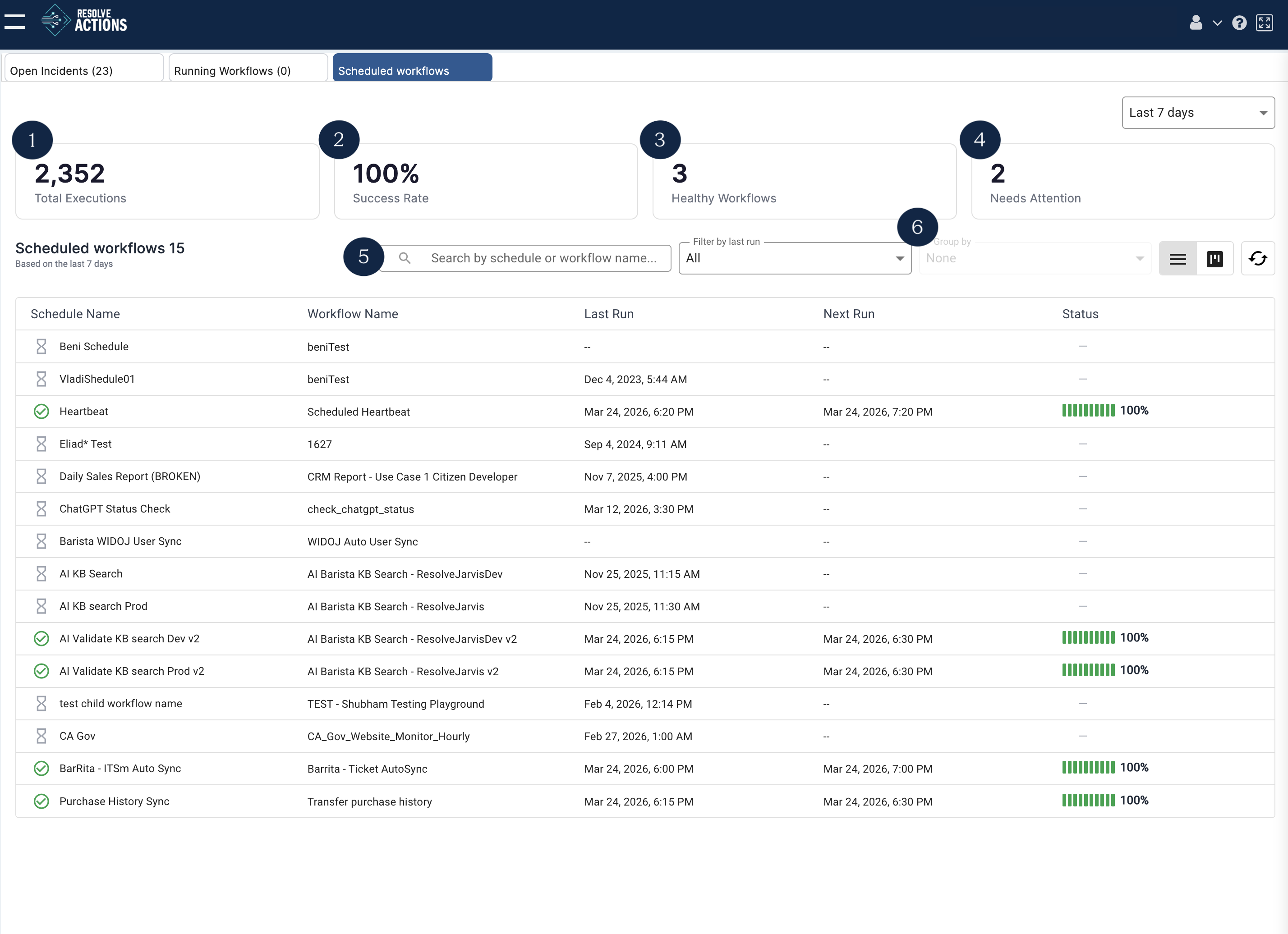
The default view for the dashboard includes:
- Total executions - The number of times all scheduled workflows have run based on the time period specified.
- Success rate - The percentage of scheduled workflow runs that completed successfully.
- Healthy workflows - The current number of workflows running without errors.
- Needs attention - The number of workflows that require configuration edits.
- Search bar - Search by workflow name or schedule name.
- Filter and group by - Organize and sort the scheduled workflows list.
View Options
The dashboard includes options to toggle between List View and Card view and the option to Refresh.

- List View - Toggle to list view.
- Table View - Toggle to table view.
- Refresh - Update the status of all scheduled workflows in the table.
List View
List view shows all scheduled workflows in columns.
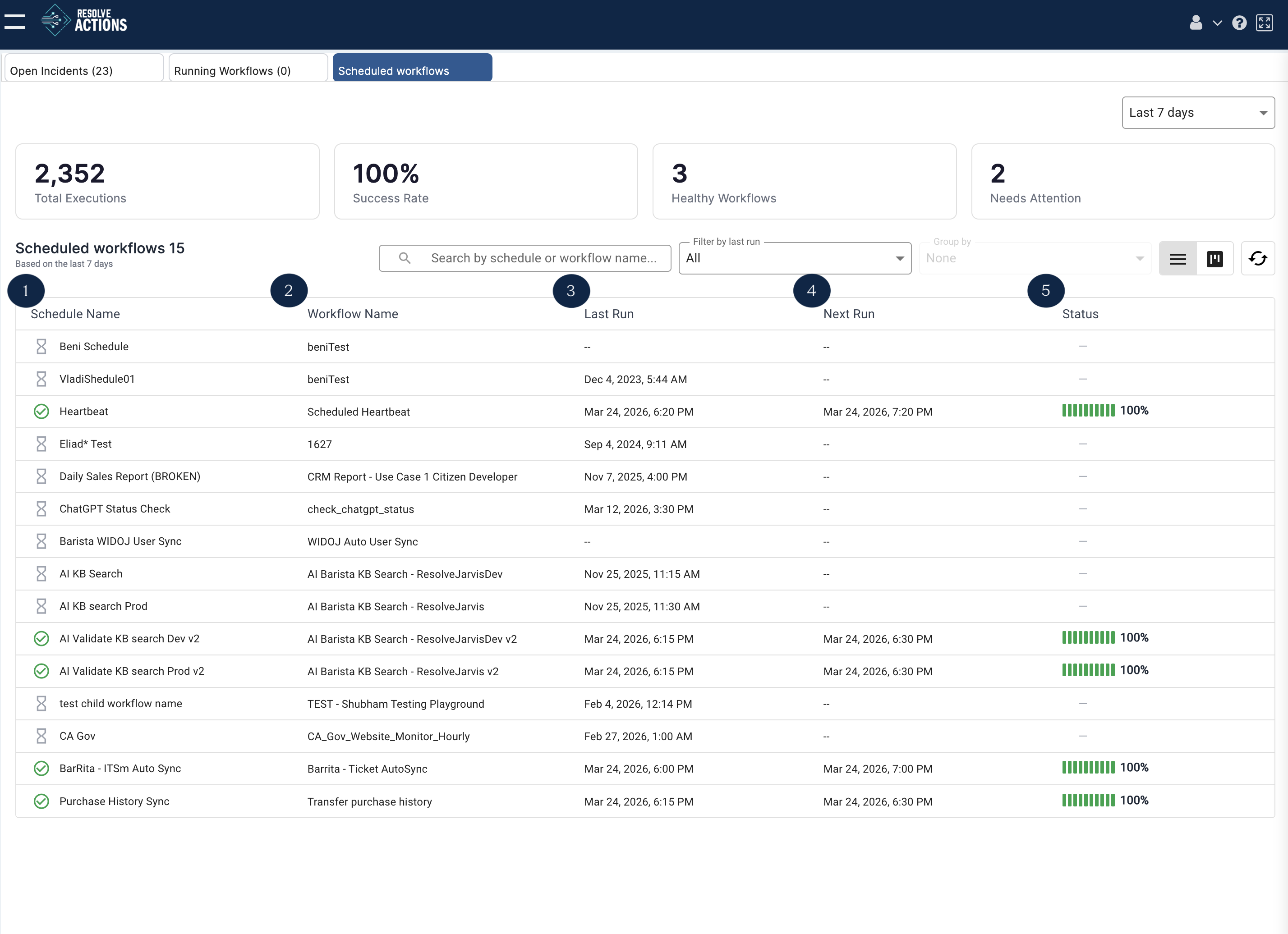
- Schedule Name - The name of the schedule as defined in the Schedules and Triggers menu.
- Workflow Name - The name of the workflow associated with the schedule.
- Last run - The date and time of the most recent workflow run.
- Next run - The date and time of the next scheduled run.
- Status - The percentage of runs that completed successfully.
Card View
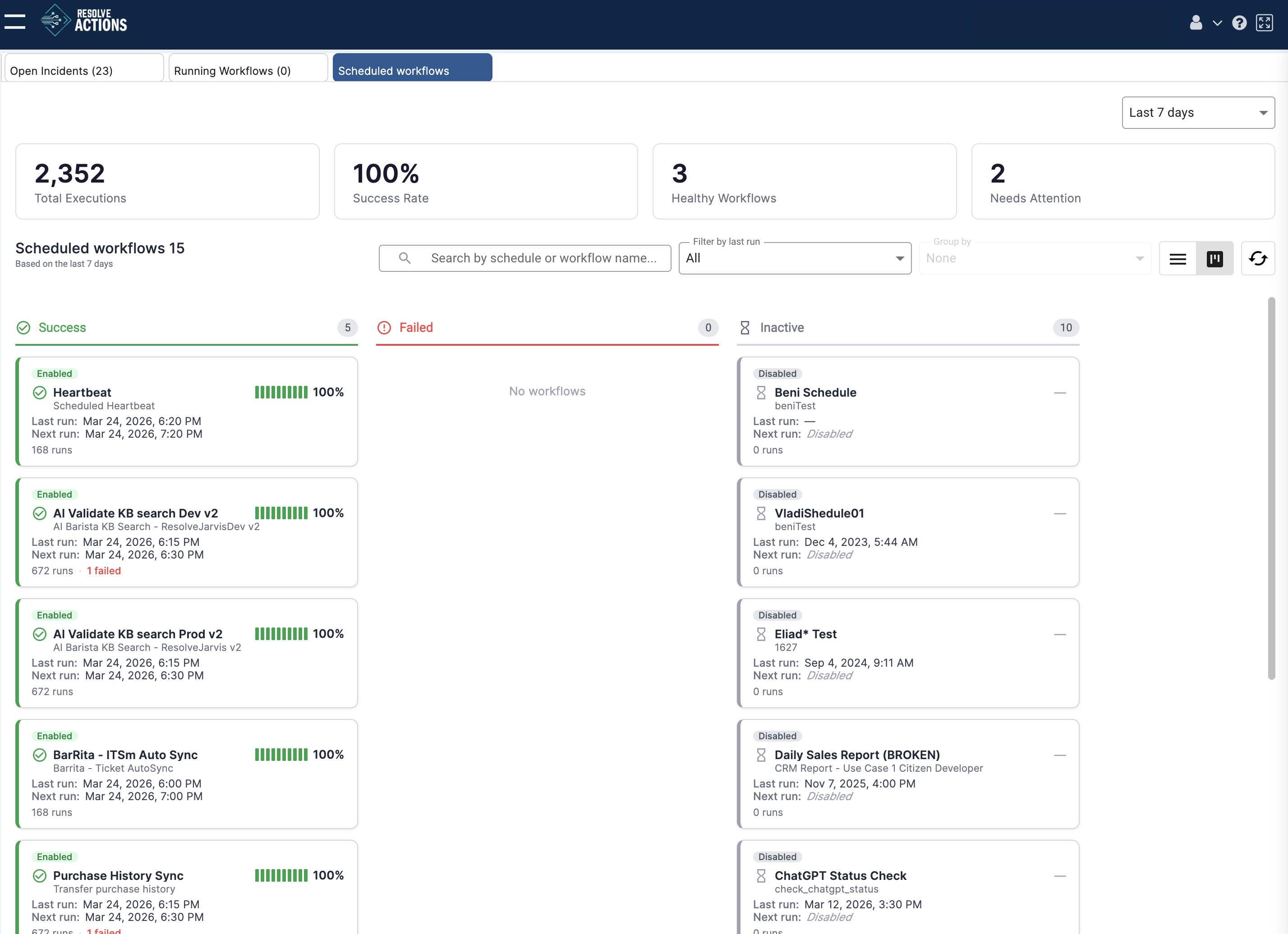
Card view organizes workflows into three columns: Success, Failed, and Inactive. Results are segmented into "Success" and "Failed" based on their last run.
Each card displays a visual representation of the success rate, the workflow name and description, the last and next run times, and the total number of runs.
Details
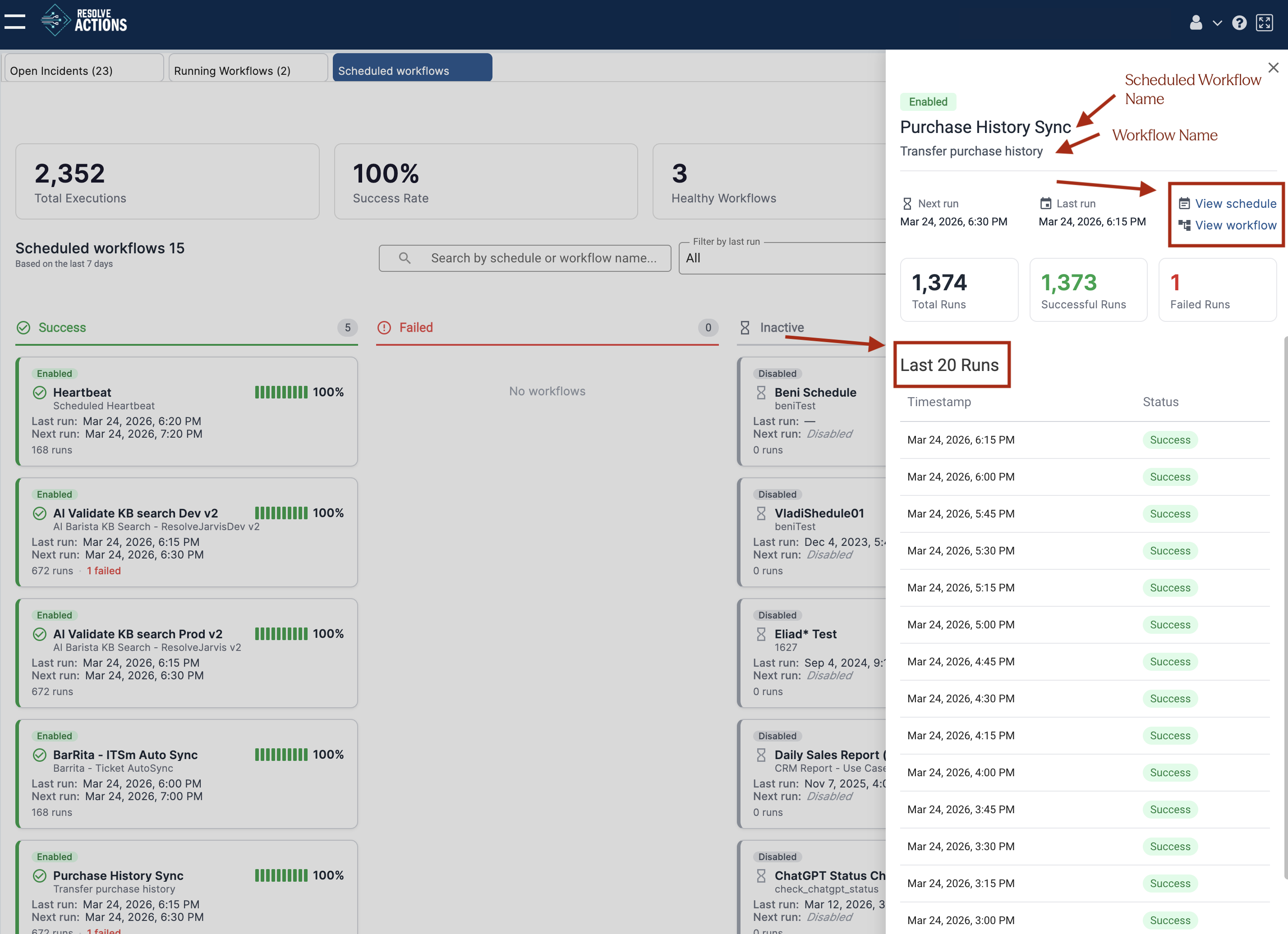
Clicking a schedule name in list view, or a card in table view, opens a side panel with run times, run statistics, and the following additional information:
- Scheduled Workflow Name: The name of the schedule.
- Workflow Name: The name of the workflow.
- Last 20 Runs: A list of the last twenty runs
- View schedule: A link to the schedule configuration
- View workflow: A link to open the workflow in the Workflow Designer