Download and Install ServiceNow Update Set
Download ServiceNow Update Set
note
All steps in this section are performed in Barista.
- Login to
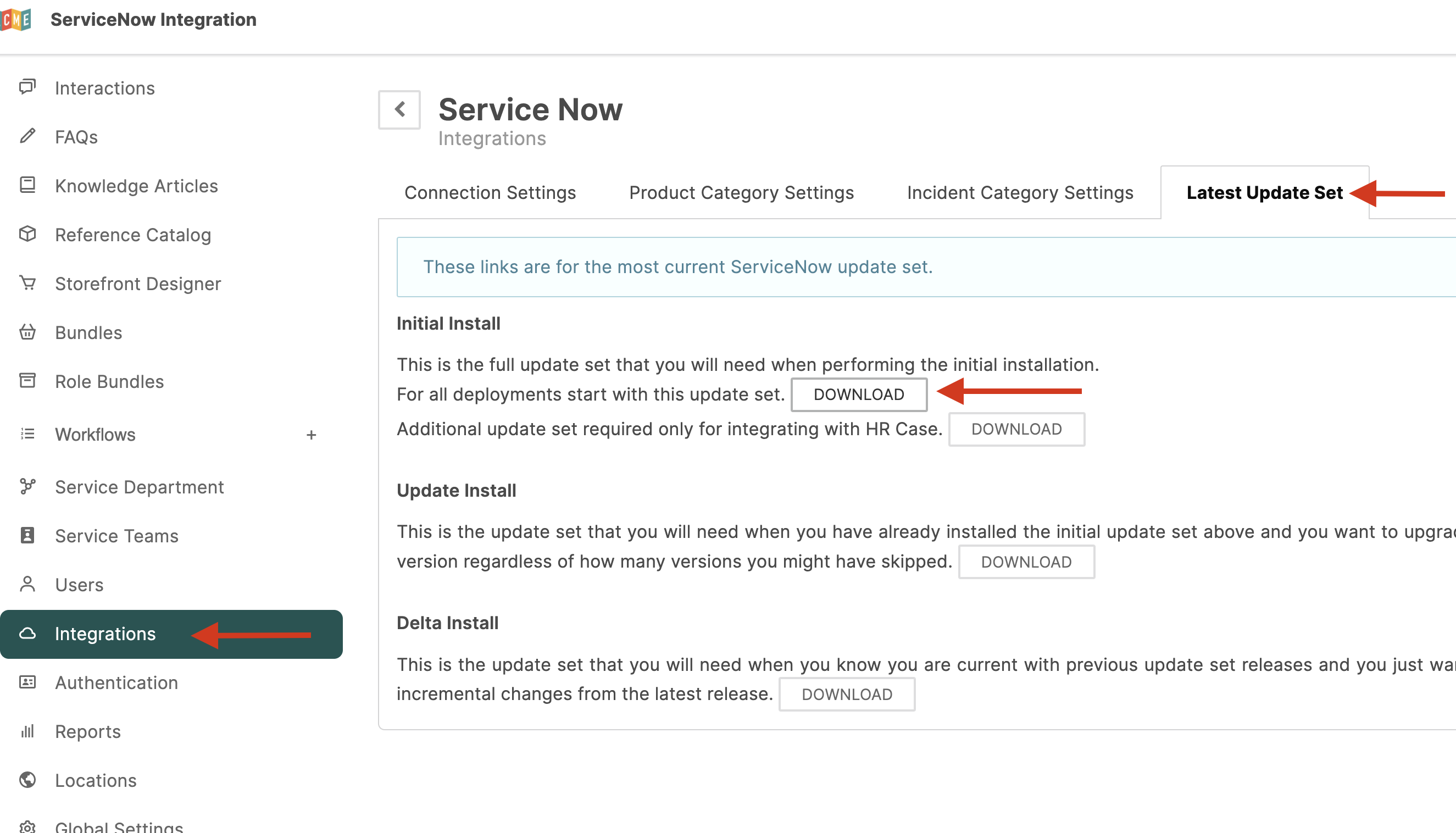
{tenant}.espressive.com/admin. - Click Integration Hub.
- Locate the ServiceNow card.
- Click Configure.
Download the Update Set
- Click the Latest Update Set tab.
- Under Initial Install, select For all deployments start with this update set.
- Click Download.
The file is saved locally as install.xml.
Install ServiceNow Update Set
note
All steps in this section are performed in ServiceNow. Steps may vary slightly depending on your ServiceNow version.
Import the Update Set
- Login to
https://[instance].service-now.comas an Administrator. - Navigate to Retrieved Update Sets.
- Click Import Update Set from XML.
- Click Choose File and select
install.xml. - Click Upload.
Preview and Commit
- Find the uploaded file in ServiceNow.
- Click Preview Update Set.
- Wait for the preview to complete and verify there are no errors.
- Click Commit Update Set.
Verify ESP Modules
- In ServiceNow, search for ESP.
- Confirm the following modules are available:
- Espressive > Integration Settings
- Espressive > Integration Hub
note
The update set installs in the correct application scope automatically. If you encounter scope-related errors, verify the file was not modified before import. If needed, re-download and upload a clean copy.