Remote Executor
Configure Modules
Comm Server Remote
Open the hamburger menu in the top navigation bar and click Configuration > Integrations and Modules.
- Use the plus (+) button to add a new Core Component.
- Name the module "Remote Comm".
- Select 'Comm Server Remote' under Type.
- Mode should automatically switch to "Remote."
Under Module Instance, use the dropdown under Device to select the hostname of the machine where you installed the Remote Executor. Click the check mark to set the Device and Save.
Executor
Open the hamburger menu in the top navigation bar and click Configuration > Integrations and Modules.
- Use the plus (+) button to add a new Core Component.
- Name the Module now.
- Select 'Executor' under Type.
- Set the Mode to "Remote."
If the service is running, the Resolve Actions Remote Executor should be started on the host machine, and the Module's status should appear as UP.
Using the Remote Executor
Build a new Workflow, and after adding an Activity, click the Activity to open the right-hand configuration panel.
Under the Advanced Settings module, find the Remote Executor settings.
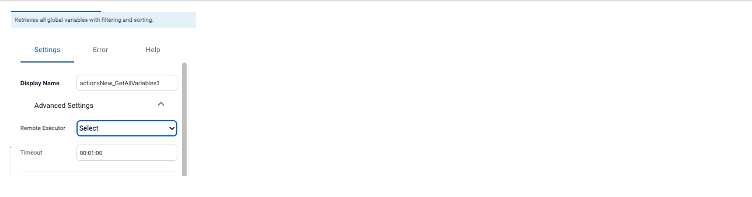
The Remote Executor settings will not appear under Advanced Settings if the activity does not require a remote executor.